

Many business owners get confused between POS and ERP systems.
Choosing the wrong business software at the wrong stage can cost you thousands in wasted spend, re-implementation, and lost efficiency. So before you commit, here is a clear, honest breakdown of POS versus ERP systems: what each does, who they are built for, and how to decide which one fits where your business is right now.
Do you need a POS?
Do you need an ERP?
Or something in between?
Let’s break it down.
What is a POS System?
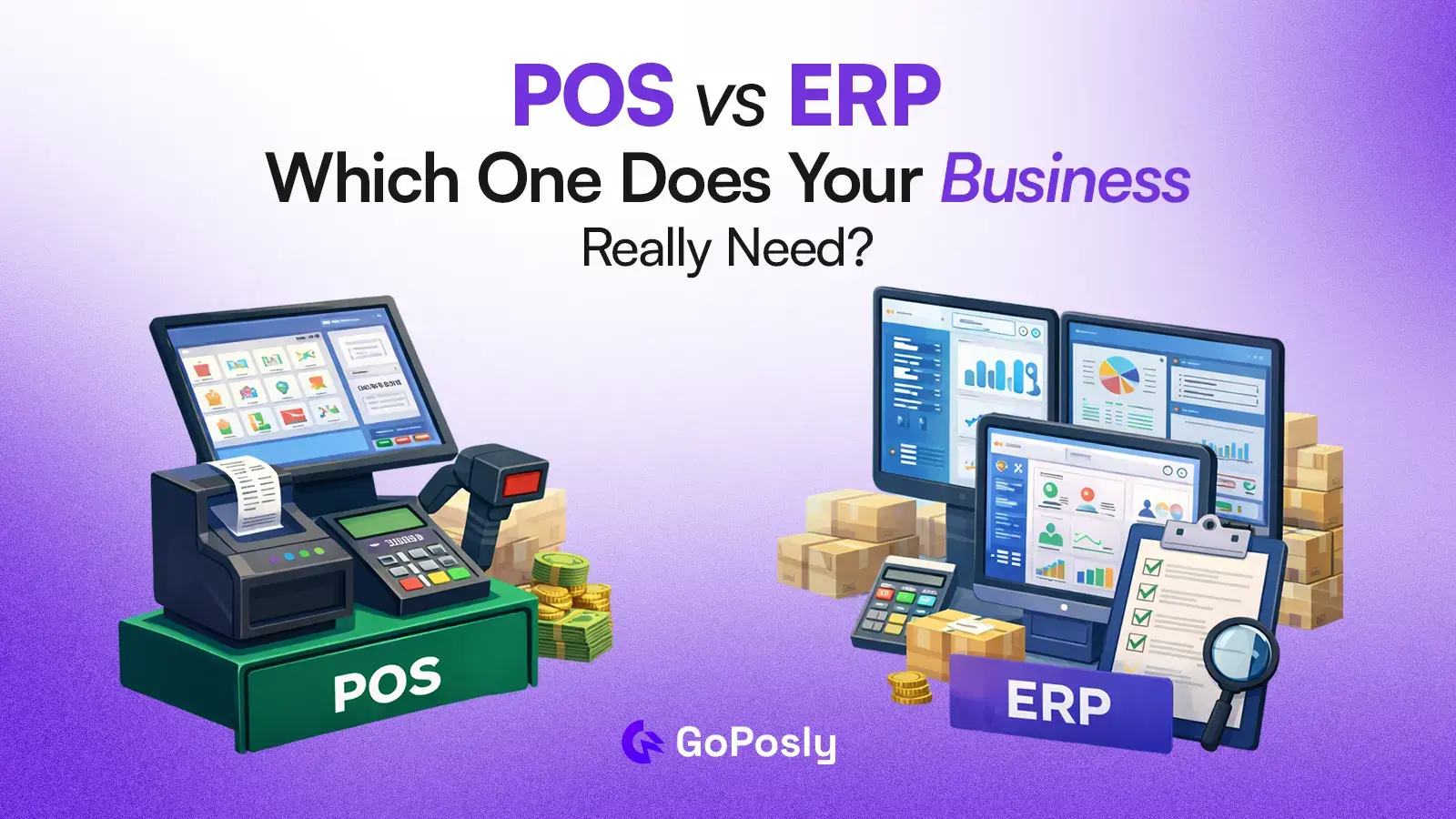
A Point of Sale (POS) system is software and sometimes hardware that lets a business process customer transaction at the point of purchase. In plain terms: it is the system your staff uses to complete a sale, take payment, and generate a receipt.
Modern cloud-based POS systems do much more than just process payments. Resulting, 78% of small retailers prefer cloud POS for cost efficiency, and 69% of retailers integrate POS with e-commerce.
A POS (Point of Sale) system helps you:
- Process sales: Accept cash, card, mobile payments, and split payments
- Sales processing: Accept cash, card, mobile payments, and split payments
- Inventory tracking: Automatically update stock levels when a sale is made
- Customer management: Store purchase history and run loyalty programs
- Sales reporting: Daily, weekly, and product-level performance dashboards
- Multi-location support: Sync sales data across multiple branches in real time
- Staff management: Shift tracking, permissions, and basic HR features
Who uses a POS system?
- Retail shops
- Restaurants
- Supermarkets
- Small stores
And any business where the primary operation is completing customer-facing transactions quickly and efficiently.
Cost Range: Cloud POS solutions typically start at $0–$50/month for basic plans, scaling to $200–$500/month for multi-location retail setups.
What is an ERP System?
ERP (Enterprise Resource Planning) is a complete business management system. It is a centralized software platform that connects and manages every core function of a business from finance and inventory to HR, procurement, manufacturing, and reporting in a single integrated system.
Unlike a POS, which focuses on the front end of sales, an ERP operates across every department. Resulting, large enterprises hold 39% of the market, while the small-to-midsize business sector is growing at an annual rate of 7% through 2025. Also, statistics report that cloud-based ERP systems are expanding at a 19% CAGR through 2030.
Its modules typically include:
- Financial management: General ledger, accounts payable/receivable, payroll, tax compliance
- Inventory & supply chain: Warehouse management, purchase orders, supplier tracking
- Human resources: Employee records, attendance, performance, and payroll processing
- Sales & CRM: Order management, customer pipelines, contract tracking
- Manufacturing: Production planning, bill of materials, quality control
- Business intelligence: Cross-department reporting, forecasting, and KPI dashboards
Who uses an ERP?
- Medium to Large businesses
- Enterprises
- Manufacturers
- Distributors
And organizations with multiple departments that need their data connected in one place.
Cost range: ERP systems like SAP, Oracle, or Microsoft Dynamics typically cost $1,500–$10,000+/month.
Mid-market ERPs (Odoo, NetSuite) range from $300–$2,500/month. Implementation can cost 2–5x the software license.
POS vs ERP: Side-by-Side Comparison
| Feature | POS System | ERP System |
| Primary focus | Sales & customer transactions | Whole-business operations |
| Target user | Cashiers, floor staff | Finance, operations, management teams |
| Inventory management | Basic (tracks sales deductions) | Advanced (multi-warehouse, reorder rules) |
| Accounting | Basic sales reporting | Full GL, AP/AR, payroll, compliance |
| HR & payroll | Limited or add-on | Built-in, full-featured |
| Supply chain & purchasing | Not included | Full module (POs, suppliers receiving) |
| Implementation time | Hours to days | Weeks to months |
| Technical expertise needed | Low | High |
| Average monthly cost | $0–$500 | $300–$10,000+ |
| Best for business size | 1–50 employees | 50+ employees / complex orgs |
| Scalability | Moderate | High |
| Offline functionality | Usually yes | Varies |
| Multi-branch support | Varies by provider | Yes (standard) |
| API / integration | Limited | Extensive |
| Real-time reporting | Sales-focused | Cross-department |
Key Differences Between POS and ERP Explained
1. Scope of Operations
A POS system is purpose-built for one job: completing transactions. It does that job extremely well. An ERP system is designed to run an entire organization every department, every workflow, every report.
Choosing between them is really a question of how many business functions you need to manage from one system.
2. Cost and Complexity
POS systems are fast to deploy, easy to learn, and low-cost. Most businesses can be up and running in a day. ERP systems require planning, data migration, staff training, and often external consultants.
The implementation investment can be significant a full ERP rollout for a mid-size business often costs $50,000–$250,000 when you factor in licensing, customization, and training.
3. Inventory Management Depth
Both systems track inventory, but at very different levels. A POS deducts stock when a sale happens. An ERP manages the entire inventory lifecycle: purchase orders from suppliers, warehouse transfers, stock valuation, reorder triggers, and demand forecasting.
If you run a complex inventory operation with multiple warehouses or suppliers, an ERP’s inventory module is in a different league.
4. Financial Reporting
POS systems generate sales reports. ERP systems generate full financial statements profit and loss, balance sheets, cash flow statements, and tax reports.
If your accountant or finance team needs data from your business software, an ERP provides it natively; a standalone POS usually requires a third-party integration.
5. Who the System Is Designed For
A POS is designed for the person standing at the counter. An ERP is designed for the people running the company. Both are valuable they just serve different layers of the business.
When to use POS Vs When to use ERP?
When Does a Business Need a POS System?
A POS is the right choice when:
- Your primary operation is completing customer-facing sales quickly
- You have 1–3 locations and fewer than 50 staff
- Your inventory is simple one warehouse, straightforward stock levels
- You need to get up and running fast with minimal training
- Budget is a key consideration (most POS systems are affordable)
- You are in retail, food service, hospitality, or personal services
Signs you are outgrowing your POS: You are manually reconciling inventory across spreadsheets and your POS. Your accountant is exporting data and re-entering it elsewhere. You cannot get a clear picture of purchasing costs versus sales margins. Multiple departments are using disconnected tools.
When Does a Business Need an ERP System?
An ERP is the right investment when:
- You have multiple departments (finance, HR, operations, procurement) that need to share data
- You manage complex inventory across multiple warehouses or locations
- Your business needs full financial reporting for compliance, audits, or investors
- You employ 50+ people and need integrated HR and payroll
- You are in manufacturing, wholesale distribution, or large-scale retail
- You are scaling rapidly and need systems that can grow with you
The honest review: ERP systems are powerful, but they come with significant complexity and cost. Many growing businesses make the mistake of adopting a full ERP before they need it and spend more time managing the system than their actual business.
Can You Use POS and ERP Together?
Yes, and for many mid-size businesses, this is actually the most practical setup. According to global report, POS with ERP integratiing reduces stockout rates by 19% and inventory variance by 40%.
The Smart Solution: Hybrid System
This is where platforms like GoPosly come in. A POS system handles the front-end: sales, payments, customer interactions, and real-time inventory deductions. An ERP handles the back-end: accounting, purchasing, financial reporting, and HR. When the two systems are integrated, data flows automatically between them a sale in the POS updates inventory in the ERP, a purchase order in the ERP adjusts available stock in the POS.More powerful than a POS.
Major ERP platforms like Odoo, NetSuite, and Microsoft Dynamics offer native POS modules or third-party integrations. This allows larger retail businesses to maintain a fast, purpose-built checkout experience while still having full enterprise-grade back-office operations.
POS vs ERP for SMEs: Is There a Middle-Ground Option?
For small and medium-sized businesses particularly in retail, wholesale, and multi-branch operations the choice is often frustrating. A basic POS is too limited once you start growing, but a full ERP is overkill, expensive, and complex to implement.
This is the gap that platforms like GoPosly are designed to fill.
GoPosly is not a basic POS and not a full ERP. It is a business management platform built specifically for growing SMEs that need:
- A fast, clean POS for front-end sales
- Real inventory management (purchases, transfers, multi-location)
- Accounts and financial reporting without the complexity of enterprise finance software
- Multi-branch visibility from a single dashboard
- A system that scales as the business scales without requiring a re-implementation
For a retail shop with 2–10 locations, a wholesale distributor, or a growing SME that has outgrown spreadsheets and a basic POS, this kind of hybrid platform is often the highest-ROI choice.
How to Choose the Right System for Your Business
Work through these questions:
- How many staff and locations do you have?
A: Under 50 staff, 1–5 locations → POS or hybrid. Over 50 staff, multiple departments → ERP.
- What is your primary operation?
A: Customer-facing transactions → POS. Complex cross-department operations → ERP.
- What is your budget and timeline?
A: Need to go live fast with low upfront cost → POS. Have budget and time for implementation → ERP.
- Do you need full financial accounting?
A: No (just sales reports) → POS system. If, yes ERP (P&L, balance sheet, compliance) → ERP.
- Are you growing quickly?
A: If yes, choose a system you can scale into not one you will outgrow in 12 months.
Final Thoughts
Don’t overcomplicate your business with heavy ERP systems.
Most businesses under 50 employees should not be running a full ERP. Most businesses over 100 employees with multiple departments should not be relying solely on a POS. The middle ground, a platform that combines POS with real inventory, purchasing, and reporting is often the smartest move for growing businesses.
Start with something practical and scalable.
👉 GoPosly is built exactly for that!